The Chrome extension starter with accounts and payments built in
A Manifest V3 project in React and TypeScript. Your users sign up, hit a paywall, pay through Stripe or Lemon Squeezy and get Pro. All of that already works, so you can spend your time on the feature they pay for.
New: launched October 2026. One-time payment, lifetime updates, 30-day refund.
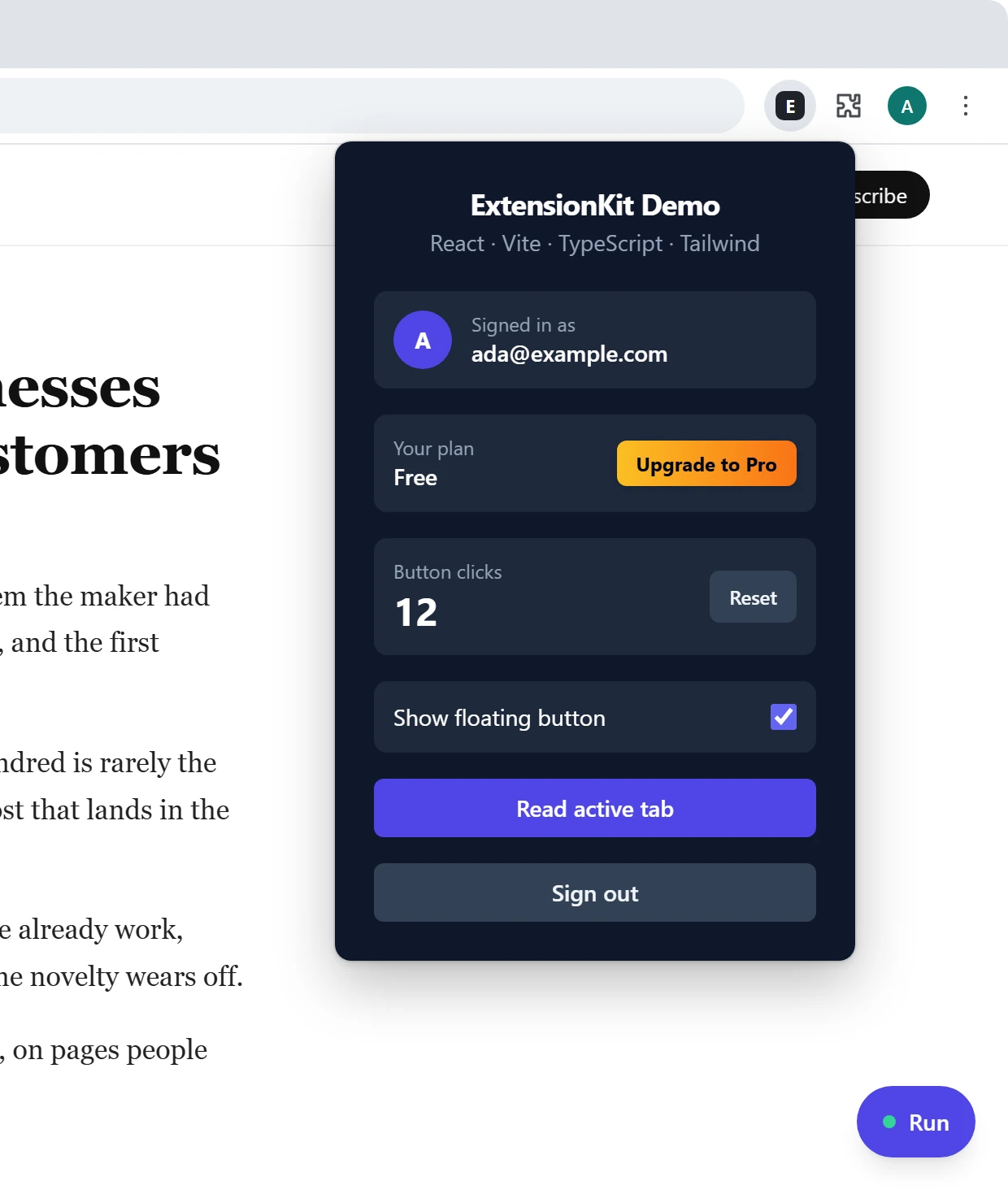
Built on
Supabase Stripe Lemon Squeezy React TypeScript Vite TailwindThe paywall
A paywall that works on any website
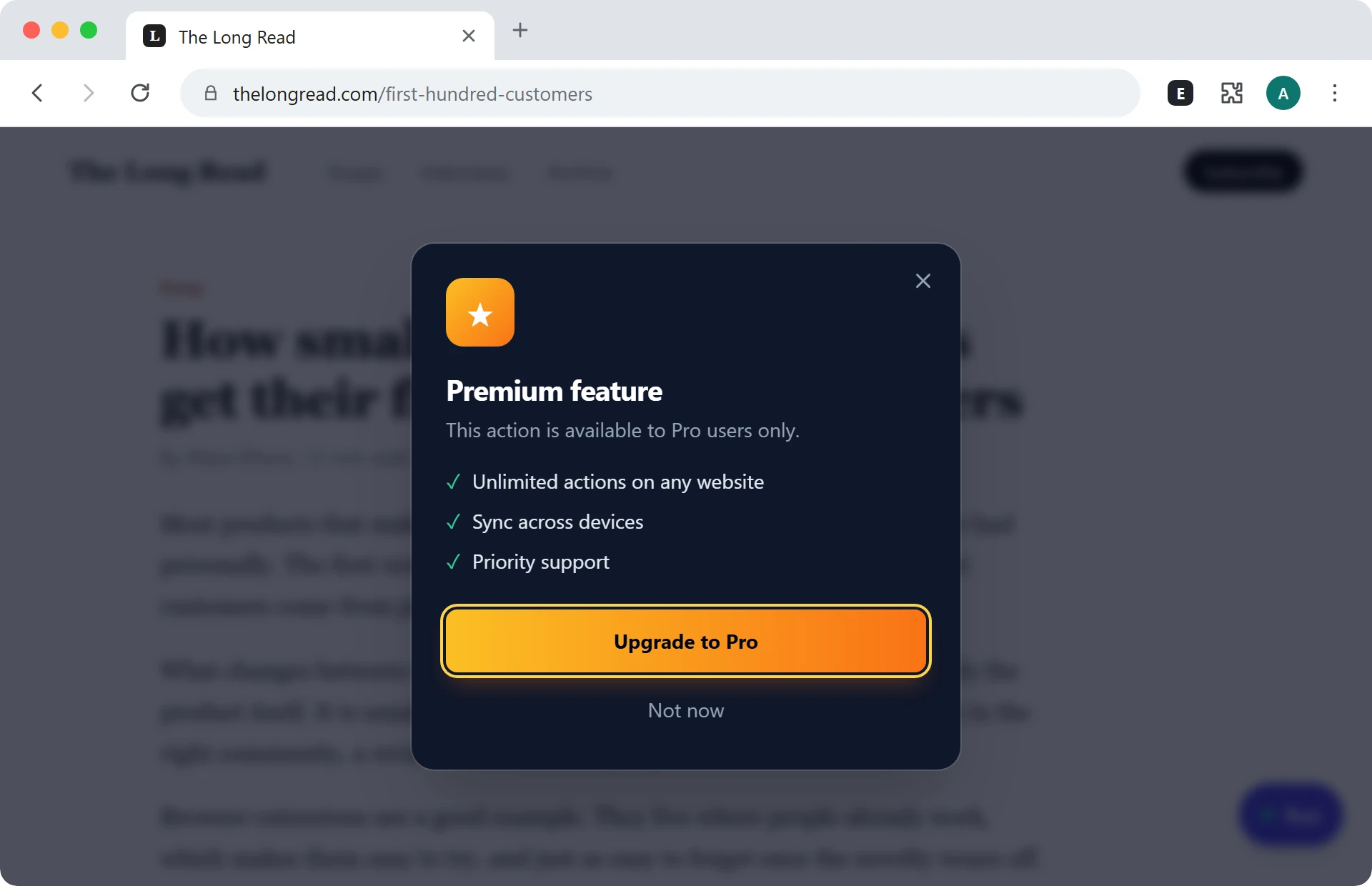
When a free user presses the in-page button, they see this instead of the Pro feature. The copy lives in one config file, and the upgrade button already knows who's paying.
Isolated from the page
Rendered in a Shadow DOM, so the site's CSS can't break it and yours can't leak out.
Out of the way
Users can drag the in-page button or hide it on sites where they don't want it.
Opens your checkout
The upgrade button goes straight to Stripe or Lemon Squeezy, already linked to the user.
Everything around it
The weeks of setup, already done
Accounts, messaging between the parts of an extension, tooling and guides. Each one is a file you can read and change.
Sign-in that survives the service worker
Email and password with confirmation and password reset, or Continue with Google. The session lives in chrome.storage; web pages only ever see the user's id and email.
src/background/auth.ts
Typed messages everywhere
Popup, background and content scripts talk through one typed map. A wrong payload is a compile error instead of a bug report.
src/shared/messages.ts
One file for your copy
The extension's name, the button label and everything the paywall says are in one place.
src/config.ts
A stable extension ID
One command generates a key so the ID is the same on every machine. Supabase's confirmation link depends on it.
npm run generate-key
Checked before you ship
Unit tests, ESLint and Prettier, all set up. One command runs the type checker and everything else.
npm run check
Guides for the slow parts
Step-by-step setup for Stripe, Lemon Squeezy and the Chrome Web Store, plus a privacy policy template.
docs/
Payments
From Upgrade to Pro, without a server of your own
Supabase stores the users and runs the webhook. You don't deploy or maintain anything else.
-
Step 1The user clicks Upgrade
The extension opens your checkout page with the user's id attached.
-
Step 2They pay
Stripe or Lemon Squeezy takes the card, handles tax and sends the receipt.
-
Step 3The webhook confirms it
An Edge Function verifies the signature and sets
is_proon the user. -
Step 4Pro unlocks
Pro features start working. Refunds and cancellations switch them off again.
.env. Lemon Squeezy works where Stripe isn't available.
VITE_PAYMENT_PROVIDER=lemonsqueezy
Security
A paywall you can't patch out
Anyone can edit an installed extension, so a paywall that's only an if in the extension can be removed. Here the paid feature runs on Supabase, which checks the user's plan on every call.
// Runs on the server, only for users with is_pro = true.
export function textStats(input: unknown) {
  const text = requireText(input)
  const words = text.match(/\S+/g)?.length ?? 0
  return {
    words,
    readingMinutes: Math.max(1, Math.round(words / 230)),
  }
}

// Register yours next to it.
export const PRO_ACTIONS = {
  'text-stats': textStats,
}
// Runs in the page. Input and result are typed end to end.
export async function runProAction() {
  const text = document.body.innerText.slice(0, MAX_TEXT)
  const stats = await callProAction('text-stats', { text })
  return `${stats.words} words · ${stats.readingMinutes} min read`
}
const isPro = await sendToBackground('CHECK_PRO_STATUS')
if (!isPro) {
  setShowPaywall(true)
  return
}

try {
  setToast(await runProAction())
} catch (err) {
  // The server has the final say.
  if (err.message === PRO_REQUIRED) setShowPaywall(true)
}
401
Not signed in
The request never reaches your code.
402
Signed in, not Pro
The extension shows the paywall instead of a result.
200
Pro
Your function runs, with API keys that never leave the server.
Coding agents
Ready for your coding agent
An AGENTS.md explains the architecture and the rules, like never putting secrets in the extension. Claude Code, Cursor, Codex and Copilot read it on their own.
add-pro-featureBuilds a server-checked paid feature end to end.
add-messageAdds a typed message between popup, background and page.
ship-checklistLists what's missing before you publish to the Web Store.
Built with ExtensionKit
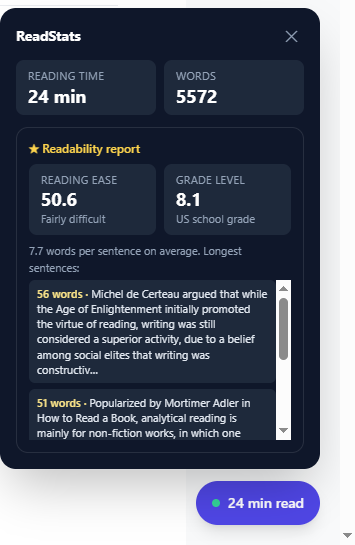
ReadStats, live on the Chrome Web Store
I built a real extension from this kit to prove it ships. Reading time and word count are free and run in the page. The readability report is Pro, sold for $5 through Lemon Squeezy and computed in pro-api, so it can't be unlocked by editing the extension.
What's in the box
A plain Vite and React project. No framework of ours to learn, and nothing to stay locked into.
src/
  background/     auth, plan checks, checkout
  popup/          sign-up, sign-in, plan card
  content/        in-page button and paywall
  shared/         typed messages and storage
  config.ts       names and paywall copy
supabase/
  migrations/     profiles table, row-level security
  functions/
    pro-api/      your paid features, plan re-checked
    *-webhook/    Stripe and Lemon Squeezy
docs/             payments, Web Store, privacy policy
tests/            Vitest unit tests
AGENTS.md         rules for coding agents
.claude/skills/   three Claude Code skills
Included
- Full source code
- Email sign-up with confirmation
- Continue with Google
- Password reset and account deletion
- Paywall and plan card
- Pro features checked on the server
- Stripe and Lemon Squeezy webhooks
- Tests, ESLint, Prettier
- AGENTS.md and Claude Code skills
- Setup and publishing guides
- Chrome, Edge, Brave and Opera
- Lifetime updates
- 30-day money-back guarantee
Not yet
- Firefox and Safari builds
- Team or per-seat billing
- Usage limits
- Translations
Questions
Who is it for?
Developers who want to sell a Chrome extension, whether it's a side project, a small SaaS or client work, and would rather not spend weeks on login and billing.
Do I need Stripe?
No. You can use Lemon Squeezy instead, which also handles sales tax and works in countries Stripe doesn't support.
Do I need a backend?
Only a Supabase project. The free tier is enough to start, and the webhooks and Pro features run there as Edge Functions.
Can users get Pro by editing the extension?
They can make the paywall disappear, but the paid feature itself runs on the server and checks their plan each time, so they get a 402 instead of the result.
Can I use it for more than one product?
Yes, including client projects. The one thing you can't do is resell the starter itself.
Is it a subscription?
No. You pay once and keep the code, with every future update included for life.
What if it isn't for me?
Email me within 30 days of buying and I'll refund you in full, no questions asked.
Is it available now?
It’s out now. Pay once and download the full source code right away.
Is this the ExtensionKit from extensionkit.io?
No. This is a new, independent product that launched in October 2026 and is actively maintained. It isn't affiliated with extensionkit.io (formerly ChromeExtensionKit), which announced it was shutting down in April 2026.
Start from an extension that already gets paid
Download the full source code today and build the feature people pay for.
One-time payment, lifetime updates, 30-day refund.